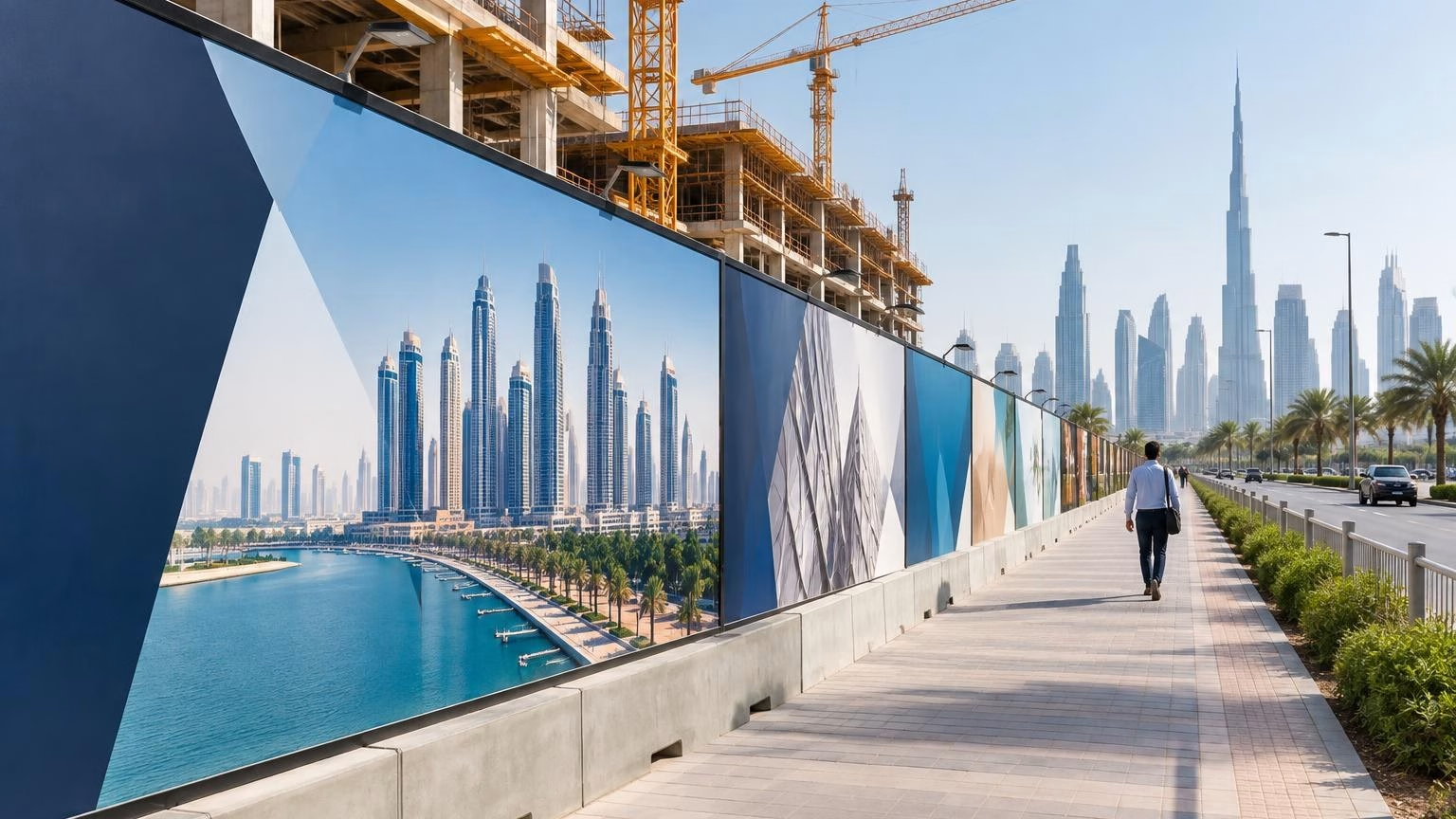
Construction hoarding graphics in the UAE turn a temporary site boundary into a visible space for project identity, public information and brand communication. A successful result starts with the panels themselves: their dimensions, surface, arrangement and site conditions determine how the artwork should be planned.
Before requesting a quote or preparing files, confirm what the hoarding is made of, how long the graphics are needed, who will see them and what information must appear. Then choose a layout that is readable from the approach route and practical to install across the actual panel structure.
Quick answer: Plan construction hoarding graphics around the real panel dimensions and surface, not an assumed template. Keep the main message simple, position important content away from panel joins, and confirm artwork requirements, site conditions and approvals before production.
What construction hoarding graphics need to achieve
Construction hoarding graphics are printed visuals applied to or displayed across temporary boundary panels around a building or infrastructure project. Their role may be promotional, informational or directional. A clear brief helps decide how much of the available space should carry branding, project information or public guidance.
For a Dubai development, the audience may include pedestrians, motorists, nearby businesses, residents, prospective buyers and site visitors. These groups do not all have the same viewing time. Someone walking past may be able to read more than a driver passing at speed, so the layout should reflect the location and viewing distance.
- Promote a project: Use a recognisable project identity and a concise message.
- Inform the public: Give relevant, current information where the site requires it.
- Guide visitors: Make entrances, routes or temporary changes easy to identify.
- Present a consistent brand: Apply approved colours, logos and visual style across the boundary.
Start with the panel layout and surface
The panel arrangement determines how a large design is divided, read and installed. Measure the hoarding as it exists on site, including individual panel widths and heights, edges, joins, corners, gates and other openings. Confirm whether the graphics will cover every panel or only selected sections.
Choose a continuous or panel-by-panel design
A continuous visual can make a long boundary feel unified, but its artwork needs careful alignment across panel joins. A panel-by-panel approach gives each section a more self-contained layout and may suit a sequence of messages or images. The best choice depends on the structure, content and installation plan; neither format should be assumed before the site is measured.
| Planning choice |
Useful when |
Check before artwork |
| Continuous visual across panels |
A connected image or consistent project identity is the priority. |
Panel order, joins, corners and the alignment of key visual elements. |
| Separate panel designs |
Content needs clear sections or individual panels need to communicate independently. |
Reading sequence, repeated branding and whether each panel works on its own. |
| Selected branded sections |
Some areas need graphics while others remain open or serve another site function. |
Exact coverage, openings, entry points and the relationship between printed and unprinted areas. |
Match the graphic approach to the substrate
Do not assume that a graphic suitable for one hoarding surface will work on another. Ask what the panels are made from, whether they are smooth or textured, and whether their existing finish is clean and suitable for the intended application. The print provider should confirm compatibility and any preparation requirements for the specific surface.
Material and fixing choices depend on the project and exposure. Share whether the site is outdoors, how exposed it is to sun, wind and dust, and how long the display is expected to remain in place. These details help the supplier advise on an appropriate solution; they should not be replaced by assumptions about a standard product specification.
Plan branding and content for real viewing conditions
Good hoarding design communicates quickly. Establish a clear order of importance: the main project or brand identity, the primary message, and then supporting information. If the content includes a web address, contact details or a visitor instruction, make sure it is current, approved and large enough for its intended viewing distance.
- Use a short headline rather than several competing messages.
- Keep logos, essential wording and contact details clear of panel joints and edges.
- Use contrast that keeps text distinguishable from its background.
- Check that imagery and colours remain consistent across the full run of panels.
- Use directional information only where the route or entrance is confirmed.
- Consider whether Arabic and English content is needed for the intended audience.
If the display also needs to direct people around a site, plan it as part of the wider visitor journey. IWPrinting’s guide to bilingual wayfinding signage in the UAE offers related guidance on planning Arabic-English directions and visitor routes.
Prepare artwork around confirmed measurements
Artwork should follow the approved panel plan, not a guessed overall size. Before design begins, collect a dimensioned drawing or a clear measurement schedule and mark the panel sequence, installation orientation, joins and openings. Confirm who is responsible for checking the site measurements and approving the final proof.
Ask the print provider for its file requirements before exporting final artwork. Requirements can vary, so confirm details such as file format, resolution, colour setup, bleed and safe areas directly rather than relying on a generic template.
Review the final proof at full layout level and panel level. Check spelling, logos, colours, reading order, joins and any information that may change during construction. A design can look correct on screen but still cause problems if a key word, face or logo falls across a panel break.
UAE site and project checks before ordering
Outdoor construction boundaries face conditions that differ from indoor displays. In Dubai and elsewhere in the UAE, consider sun exposure, heat, dust, wind and the state of the hoarding surface when discussing material and installation options. The right choice depends on the actual site and expected display period, so provide the supplier with accurate project details.
Also confirm who is responsible for permissions and approvals. Requirements can depend on the location, property, project and relevant authority. Check the applicable rules with the project team, property representative or authority before production, especially where the design includes advertising, public directions or prominent project claims.
How to choose and order hoarding graphics
A well-prepared enquiry gives the print provider enough information to assess the project and identify what needs confirmation. Use this checklist when comparing options or requesting a proposal:
- Define the purpose: Decide whether the priority is branding, project promotion, public information or wayfinding.
- Describe the audience and location: Note who will see the hoarding and from where.
- Provide panel details: Share measurements, surface information, panel order, openings and photographs if available.
- Explain the environment: State that the graphics are for an outdoor UAE site and describe exposure and expected use.
- Plan quantity by coverage: Count the panels or total areas that need graphics, including any separate sections or replacement panels.
- Share artwork status: Say whether print-ready files exist or design support is needed, then confirm the provider’s available services and file requirements.
- Confirm responsibilities: Agree who checks measurements, approves proofs, arranges installation and secures project permissions.
For a broader signage-planning perspective, IWMedia has a guide on choosing a signboard company in Dubai. Use any supplier discussion to confirm the specific hoarding scope, materials, artwork process and installation responsibilities for your project.
Frequently asked questions
What are construction hoarding graphics?
They are printed visuals displayed on temporary site boundary panels. They may identify a development, communicate project information, direct visitors or present a brand message. The appropriate layout and graphic solution depend on the panel surface, site conditions, viewing distance and project requirements.
Should I design hoarding graphics as one image or separate panels?
Choose based on the panel structure and how the content needs to be read. A continuous visual can create a unified appearance; separate designs can divide information into sections. Confirm panel dimensions, joins, openings and installation orientation before creating final artwork.
What information should I include?
Prioritise the project or developer identity, a concise message, and relevant contact, visitor or directional information. Keep essential content readable from the expected viewing distance. Use only information that is approved and accurate for the current project stage.
What should I consider about UAE site conditions?
Discuss exposure to sunlight, heat, dust and wind, along with the hoarding surface and expected display period. These factors may influence material and installation choices. Confirm the appropriate option with the print provider and check any project, property or authority requirements before proceeding.
What should I send when requesting a quote?
Share the panel measurements and count, surface details, site location, intended use period, artwork status and installation expectations. Include panel photographs or a layout plan if available. Confirm which party will verify measurements, approve artwork and handle installation or permissions.
Discuss your hoarding project
Prepare your panel measurements, site details and branding brief before approaching a supplier. Contact IWPrinting to discuss your construction hoarding graphics requirements and confirm whether the project is within scope, along with the available options and artwork specifications.
Related IWPrinting products and guides